

Move beyond Dynamics AX without disruption
Dynamics AX Upgrade to Dynamics 365 Finance & Supply Chain Management
Support for Dynamics AX has ended, prompting many businesses to rethink their ERP strategy. GraVoc helps organizations evaluate their current AX environment, understand their migration options, and transition to Dynamics 365 Finance & Supply Chain Management (FSCM) with a tailored roadmap.
The Challenge
Still running Dynamics AX? Here’s what most organizations are facing
Dynamics AX was built to support complex financial, manufacturing, and supply chain processes. But as the platform ages, many organizations find themselves investing more time and resources into maintaining their ERP than improving it.
Common challenges include:
- Unsupported ERP software and increased security concerns
- Aging infrastructure and rising maintenance costs
- Difficulty integrating modern applications and data sources
- Limited access to automation, analytics, and AI capabilities
- Heavy reliance on deep customizations
- Reporting processes that require manual workarounds
- Uncertainty around upgrade versus reimplementation strategies
The challenge is not just moving data from one system to another. It is deciding what your business needs from ERP next.
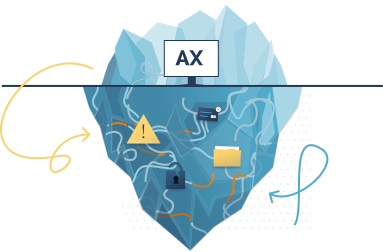
Get an assessment before you commit
Not sure where your Dynamics AX environment stands today? Start with a migration assessment before committing to a project.
Why Start Planning Now
Planning early creates a smoother path off Dynamics AX
Microsoft has ended mainstream and extended support for all versions of Dynamics AX. Organizations still running AX no longer receive security enhancements, regulatory updates, or product improvements.
Starting early gives you time to evaluate your data, environment, and business processes before making major ERP decisions.
Why Migrate from Dynamics AX
The business value of moving from Dynamics AX to Dynamics 365 FSCM
For many Dynamics AX users, Dynamics 365 FSCM represents the next evolution of their ERP platform. Moving to the cloud is an opportunity to create a platform that can support future growth. Benefits often include:
Improved financial visibility and reporting
Modern supply chain and inventory management capabilities
Real-time access to operational data
Scalable cloud infrastructure
AI-powered forecasting and planning tools
Stronger integration with Microsoft 365, Power Platform, and other business applications
A Dynamics AX migration starts with a clear strategy
Review your Dynamics AX environment, including customizations, integrations, ISV solutions, reporting requirements, and business processes to understand what’s working today and where challenges exist.

Assess
Review your Dynamics AX environment, including customizations, integrations, ISV solutions, reporting requirements, and business processes to understand what’s working today and where challenges exist.

Evaluate
Determine whether an upgrade or reimplementation makes the most sense based on your Dynamics AX version, long-term goals, and the complexity of your ERP environment.

Modernize
Move to Dynamics 365 FSCM with a focus on reducing technical debt, improving processes, and leveraging modern cloud capabilities where they provide value.

Optimize
Continue refining workflows, reporting, and user adoption after go-live to maximize the return on your ERP investment.
A Better Partner Experience
ERP migration is stressful enough. Your partner should not add to it
Questions will come up during a Dynamics AX upgrade or reimplementation. When they do, you should not have to wait days for answers or chase your ERP partner for clarity.
GraVoc is known for responsive communication, practical guidance, and steady follow-through. Our team keeps you informed on scope, budget, progress, and next steps, helping your organization move through migration without being left guessing.
Why GraVoc
Expertise that extends beyond ERP technology
Most organizations have years of business logic, third-party integrations, reporting structures, and custom development invested in their Dynamics AX environment. GraVoc helps navigate the transition to Dynamics 365 FSCM with an approach that balances business continuity, modernization, and long-term scalability.

Certified Microsoft Solutions Partner

100+ Microsoft certifications

Experience across AX 2009, AX 2012, and Dynamics 365 FSCM

Responsive support and guidance on upgrade, reimplementation, and modernization strategies
Business Software in Action
See how GraVoc helps organizations move complex systems forward
Explore how GraVoc has helped organizations modernize systems, improve workflows, connect platforms, and support business-critical operations.
How GraVoc Rescued a Fashion Accessories Manufacturer’s Stalled Dynamics AX 2009 to Dynamics 365 Migration
MAGNA-TILES®: From Disconnected Systems to Integrated Dynamics 365 Business Central Operations
Modernizing Global Operations: Coravin Migrates from Dynamics GP to Dynamics 365 FSCM with GraVoc
Ask about current Microsoft migration offers
Microsoft incentives and assessment offers may be available for qualifying organizations moving from Dynamics AX to cloud-based Dynamics 365 solutions. GraVoc can help you understand what applies to your situation.
Dynamics AX upgrade FAQ:
What is the difference between Dynamics AX and Dynamics 365 Finance & Supply Chain Management?
Dynamics 365 FSCM is Microsoft’s modern cloud ERP platform and the successor to Dynamics AX. It delivers automatic updates, modern integrations, cloud scalability, automation capabilities, and AI-powered functionality.
Read more: Dynamics AX vs. Dynamics 365: What’s the Difference?
Should I upgrade Dynamics AX or reimplement Dynamics 365 FSCM?
The right migration approach often depends on which version of Dynamics AX you’re running today.
Organizations on newer versions, such as AX 2012, may have a more direct upgrade path to Dynamics 365 FSCM. However, businesses running older versions like AX 2009, or those with extensive customizations or data quality issues, often benefit from a reimplementation approach. These factors are also among the most common challenges that can impact Dynamics AX migration projects.
A migration assessment can help determine the right approach for your environment.
Learn more:
How long does a Dynamics AX migration take?
Migration timelines vary depending on data volume, customizations, ISV solutions, integrations, and testing requirements. A migration assessment is typically the best way to establish scope and project considerations.
Can Dynamics AX customizations be migrated to Dynamics 365?
Many customizations can be recreated or replaced with native Dynamics 365 FSCM functionality. During Dynamics AX migration planning, it’s important to evaluate custom code, integrations, and ISV solutions to determine what still delivers business value and what can be simplified.