


GP Security Analyzer
The easiest and most powerful visual way to understand Dynamics GP Security. 22 dashboards of Dynamics GP Security Analysis Bliss!
Keep it simple - green is good; access granted.
(Really) Analyzing GP Security is not a small task. The traditional approach has been to create custom SQL Views attached to Smartlists that read, filter and export the data, or by using custom refreshable Excel reports with embedded links and pivot tables, or by using the embedded GP Reports and various setup and inquiry windows. All of these produce a massive amount of data but very little meaning because these reports can often be over 1,000 pages long, and the SQL view can easily be over 500,000 lines deep.
However – there is now a BIGGER, BETTER, FASTER, CHEAPER way to get a handle on your GP user security configurations. Turn that big data into a tool that enhances your visibility into user permissions.
ask yourself these questions:
- If you could “SEE” your GP security configurations by Role, User and Task would you be interested?
- If you could “INTERACT” and “REVIEW” your GP security stance visually would you be interested?
- Do you know if you have a “Segregation of Duties” problem within Dynamics GP?
- If you could “INCREASE” effectiveness and visibility, “CUT COSTS” and “SAVE TIME” with customizable SOX compliance reporting and analysis for Dynamics GP, would you find it helpful?
Explore 22 dashboards of Dynamics GP security analysis bliss!
Analysis & Reference dashboards

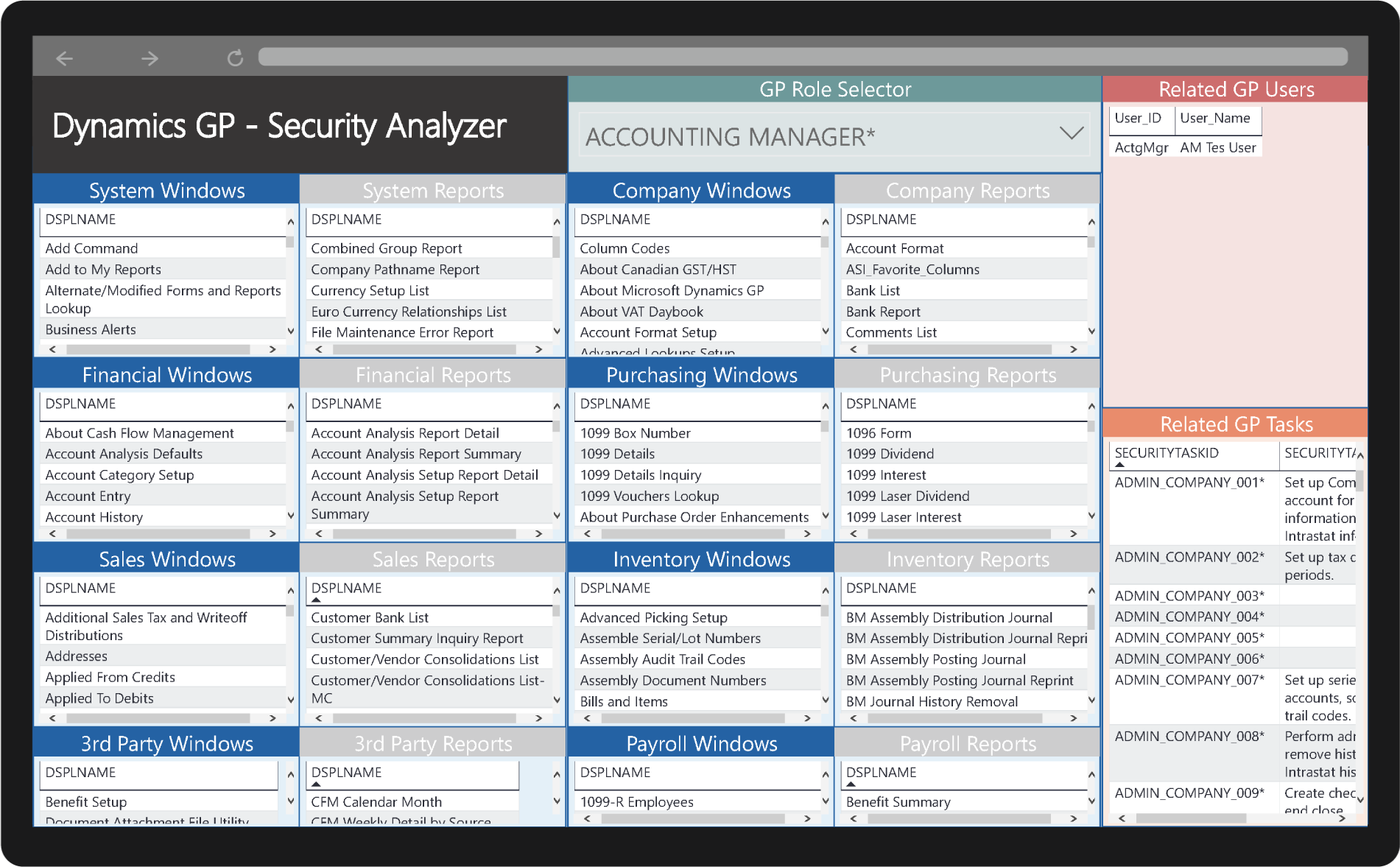
Security Analyzer

Users and their related Roles, Tasks and all related Window assignments
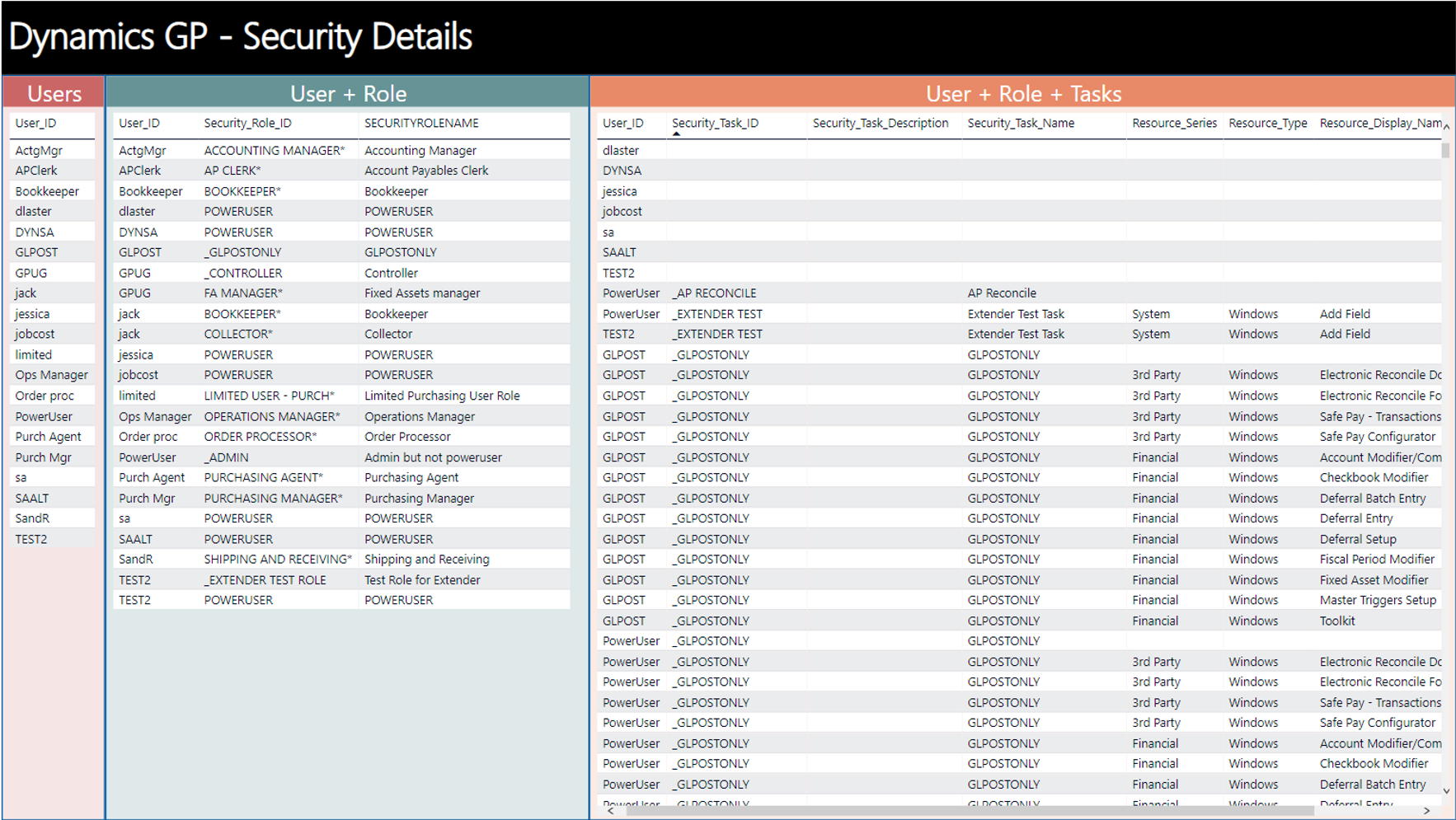
Security Details

Cross-tab analysis of Users, Roles, and ALL-related Tasks

Role Comparison
Access Reporting Dashboards
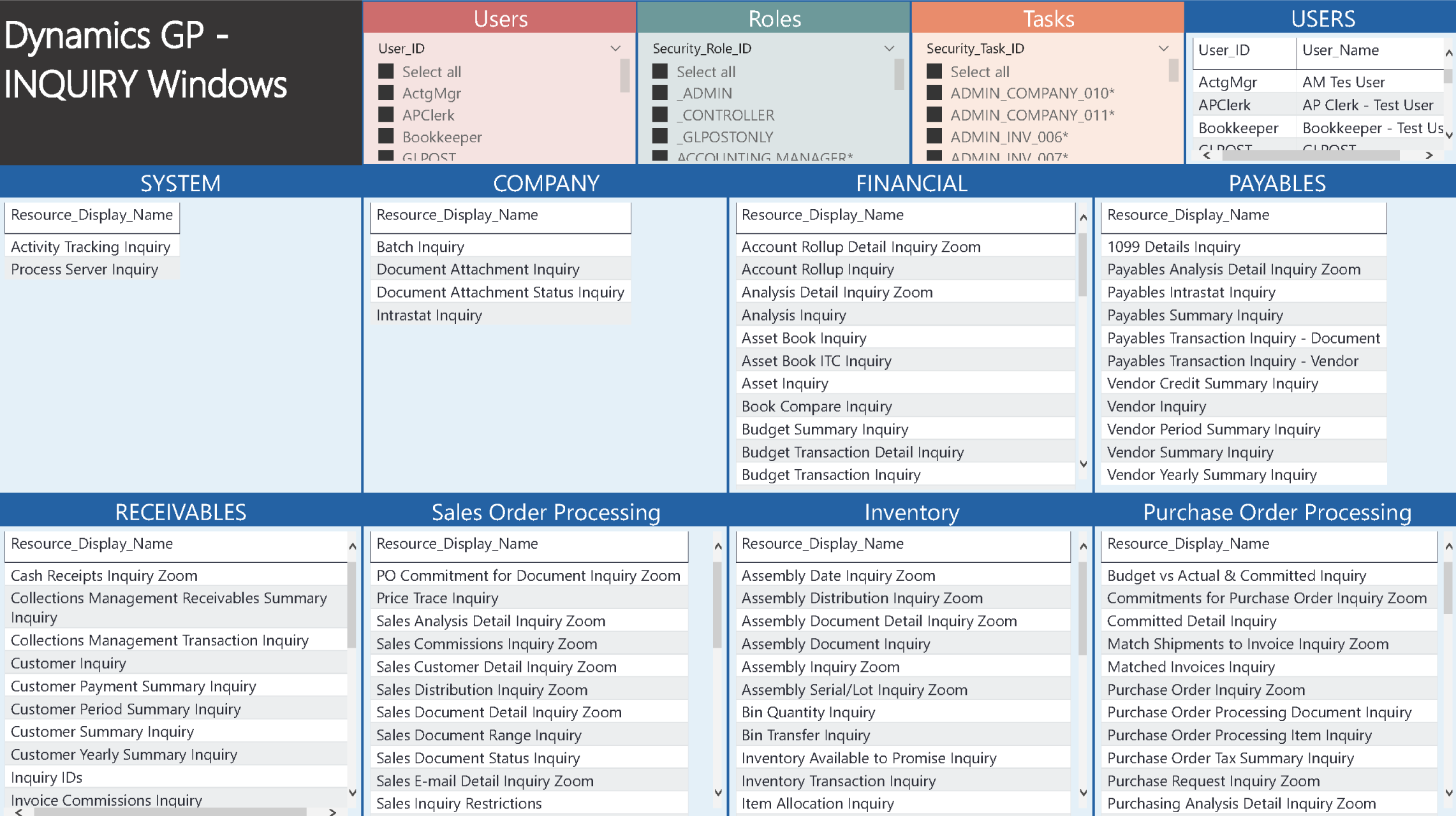
Inquiry

Setup
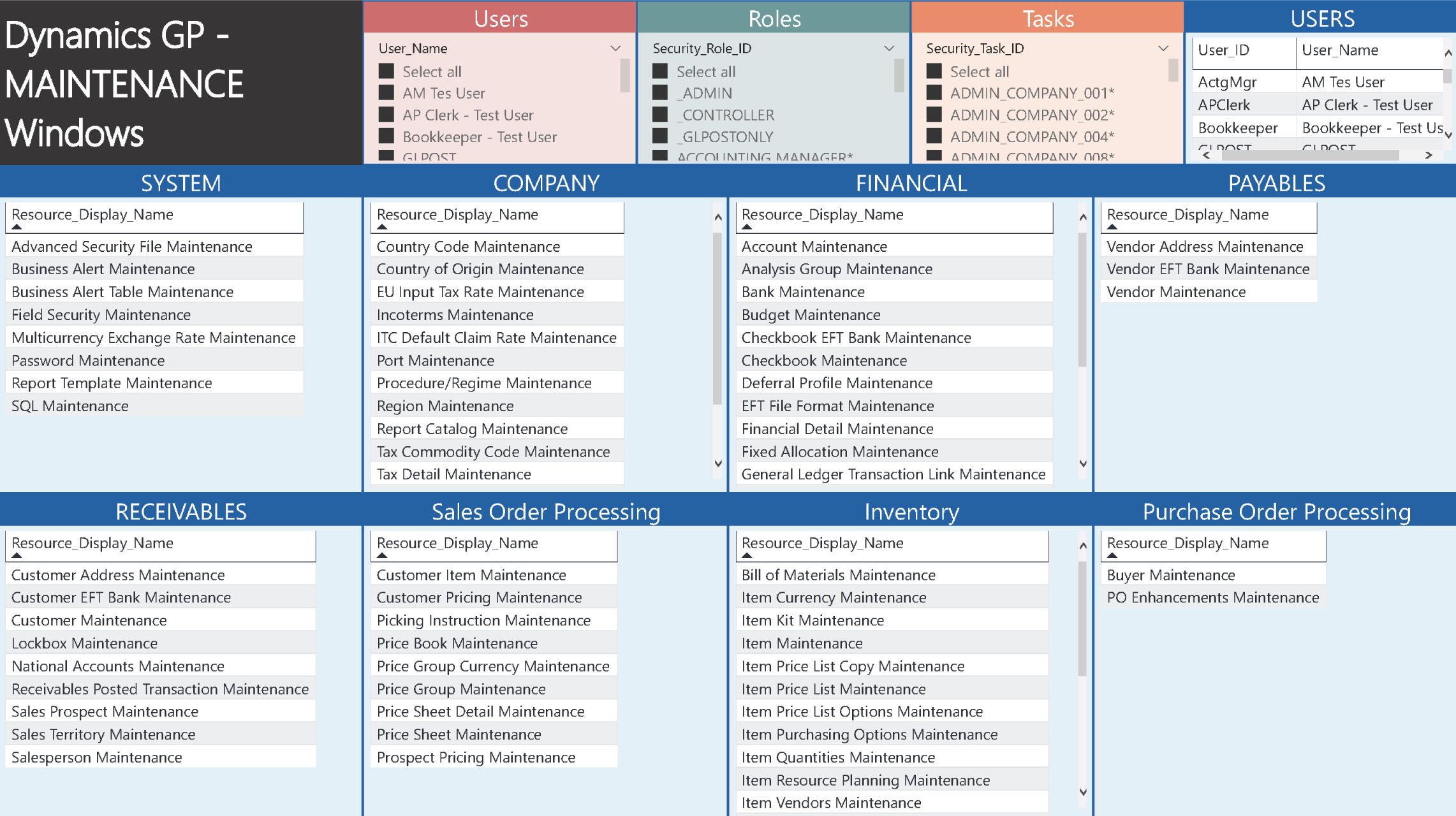
Maintenance
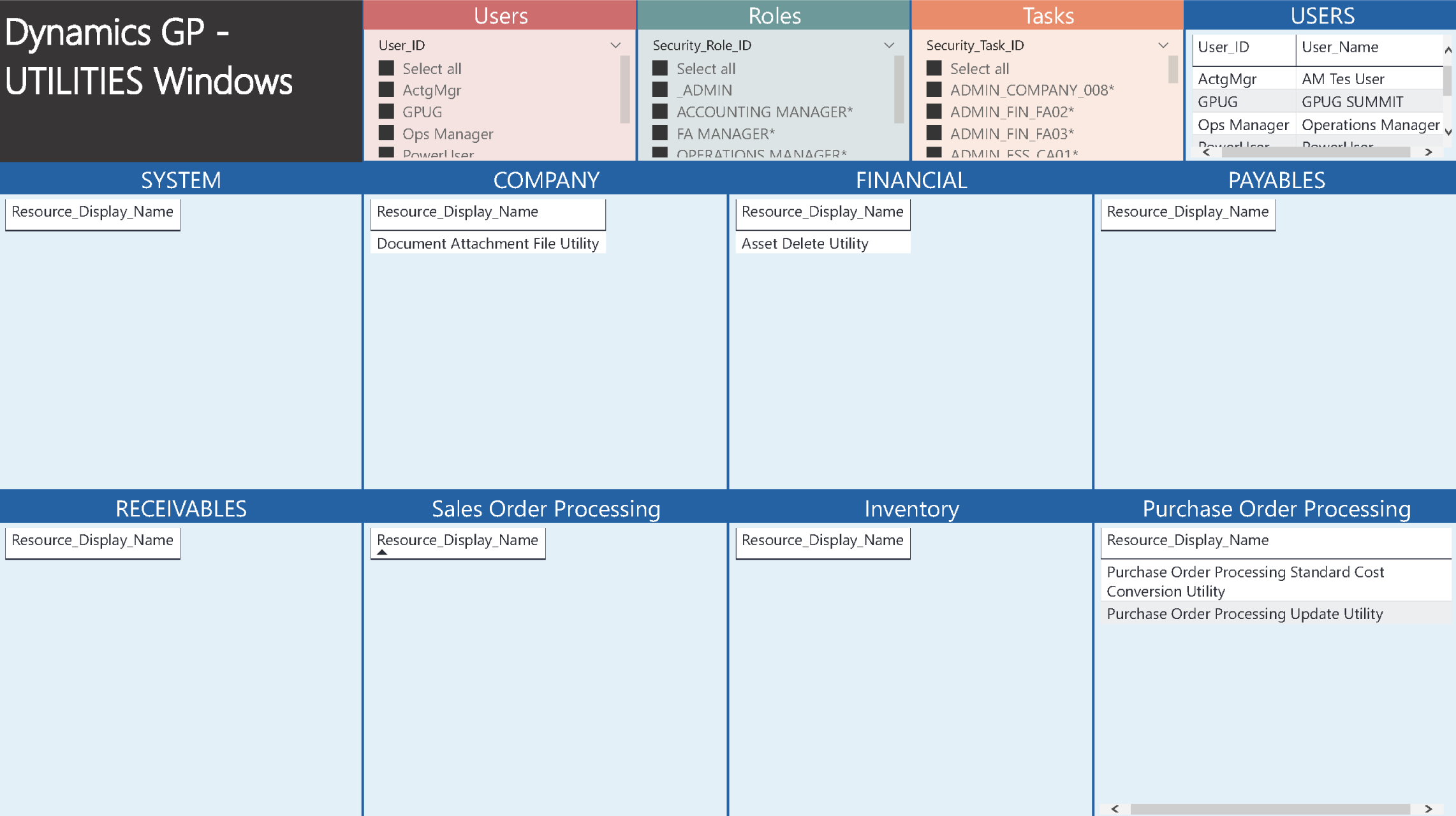
Utilities
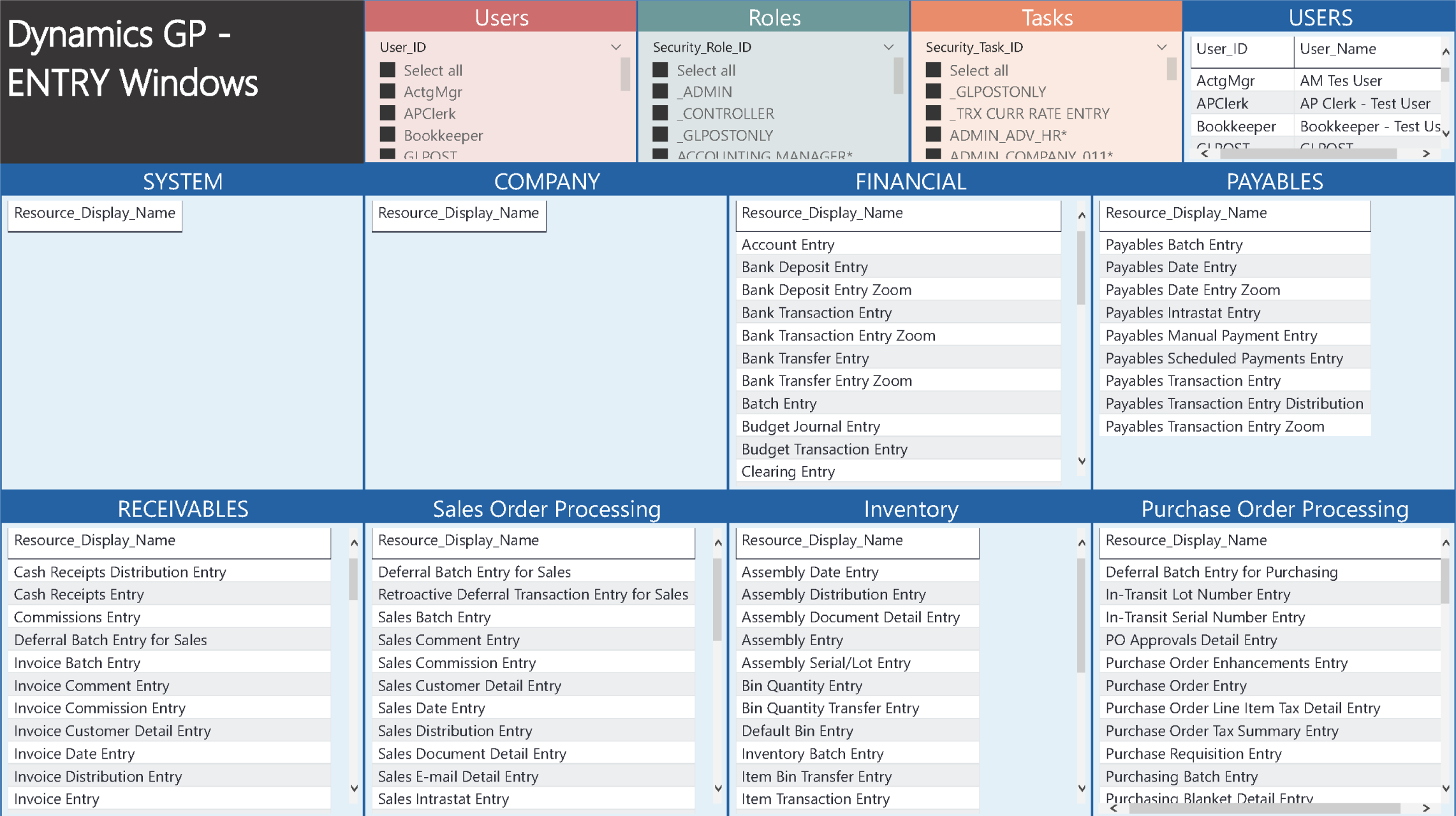
Entry
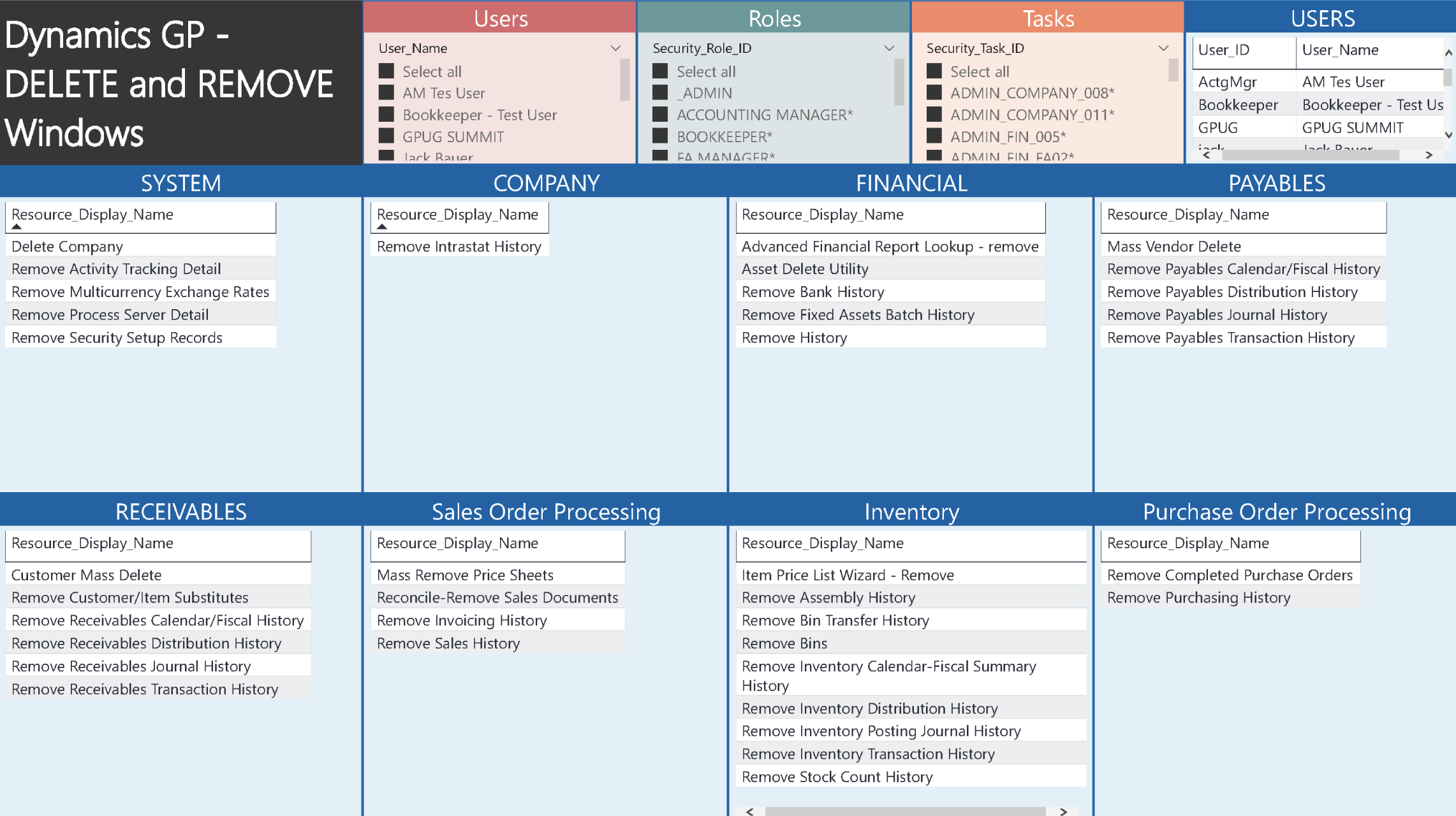
Delete and Remove
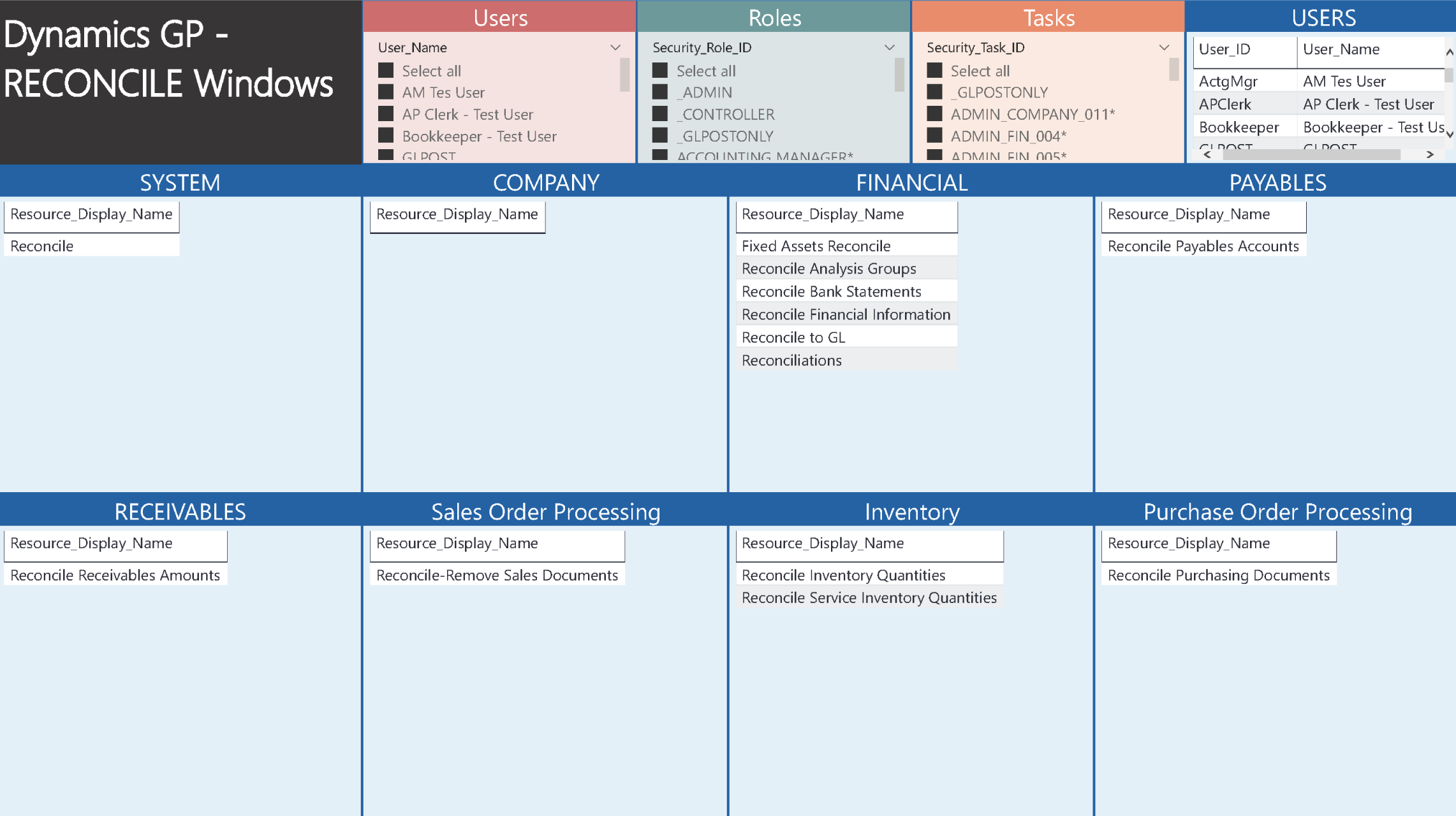
Reconcile
Segration of Duties Dashboards
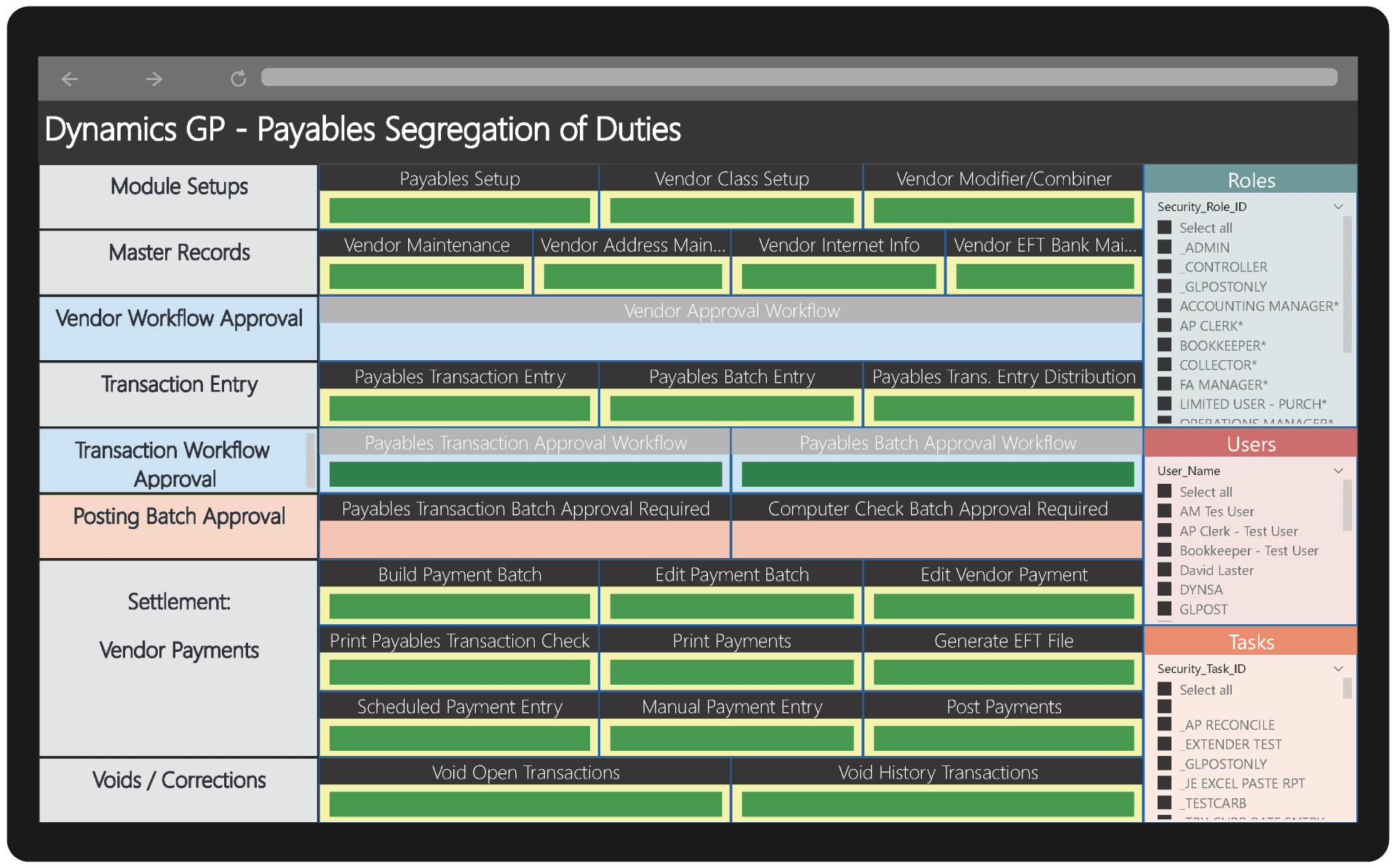
There are six Power BI dashboards in the GP Security Analyzer that visually and interactively illustrate Financial, Payables, Purchasing, Inventory, Receivables, Sales and Bank Reconciliation controls by User and Role. The dashboards segregate access based on Setup, Maintenance, Transaction Entry, Settlement and Void permissions, interwoven with both GP Workflow Approvals and Company Posting Batch Approval controls where enabled within their respective setups.
This suite of reports and dashboards definitively helps demystify Dynamics GP Security for any environment. Easily customizable and expandable.

Payables
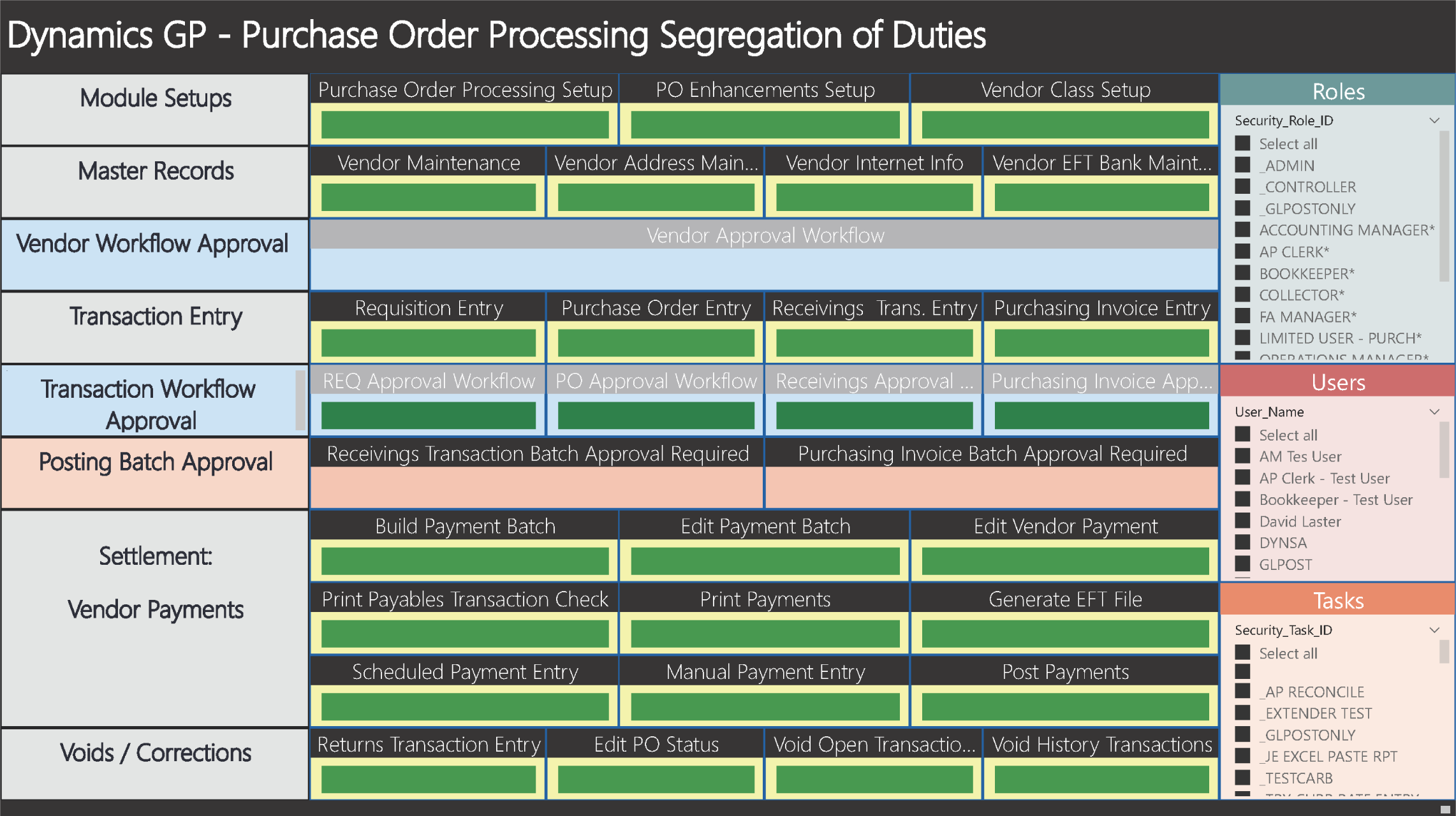
Purchasing (POP)
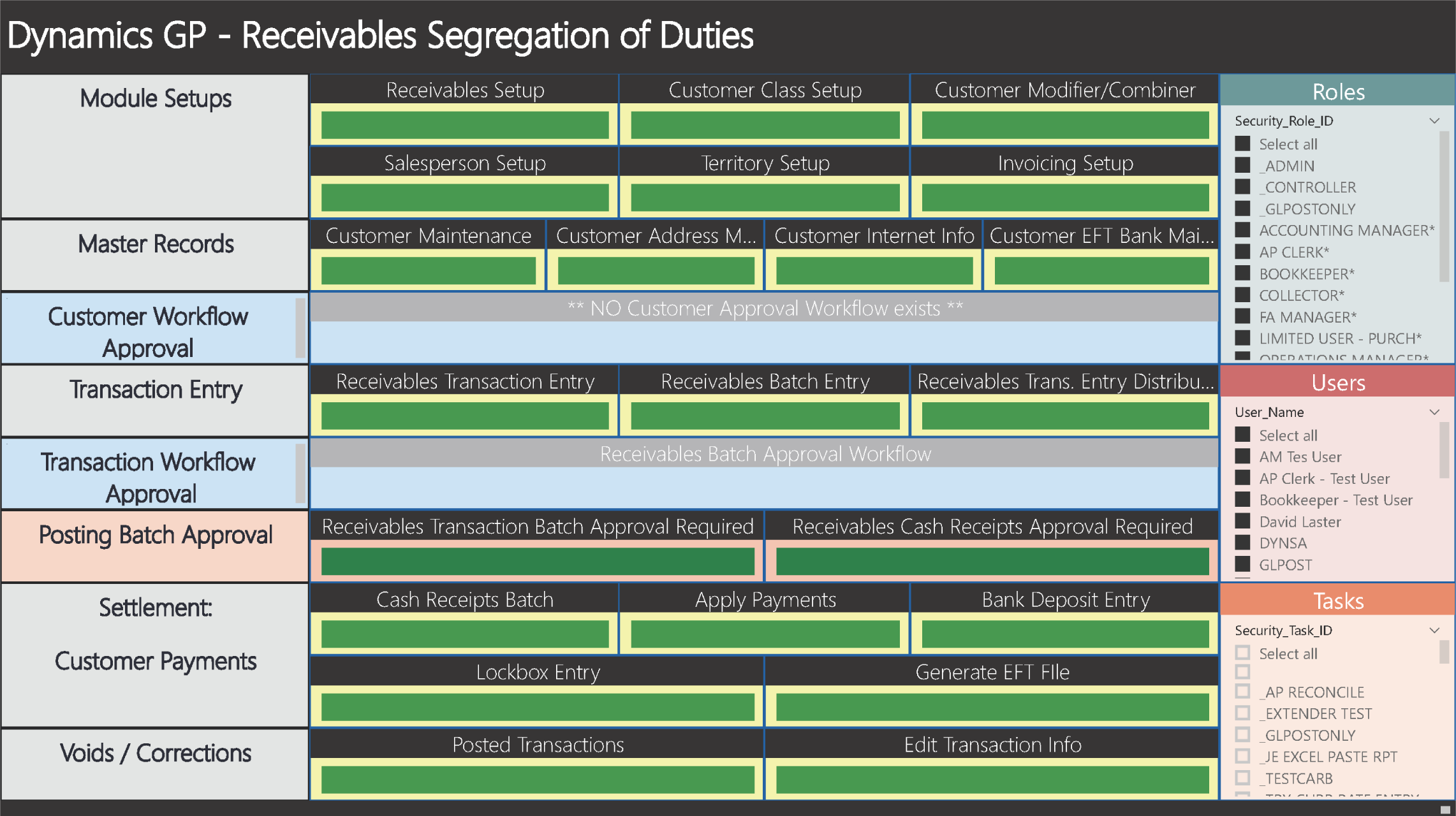
Receivables
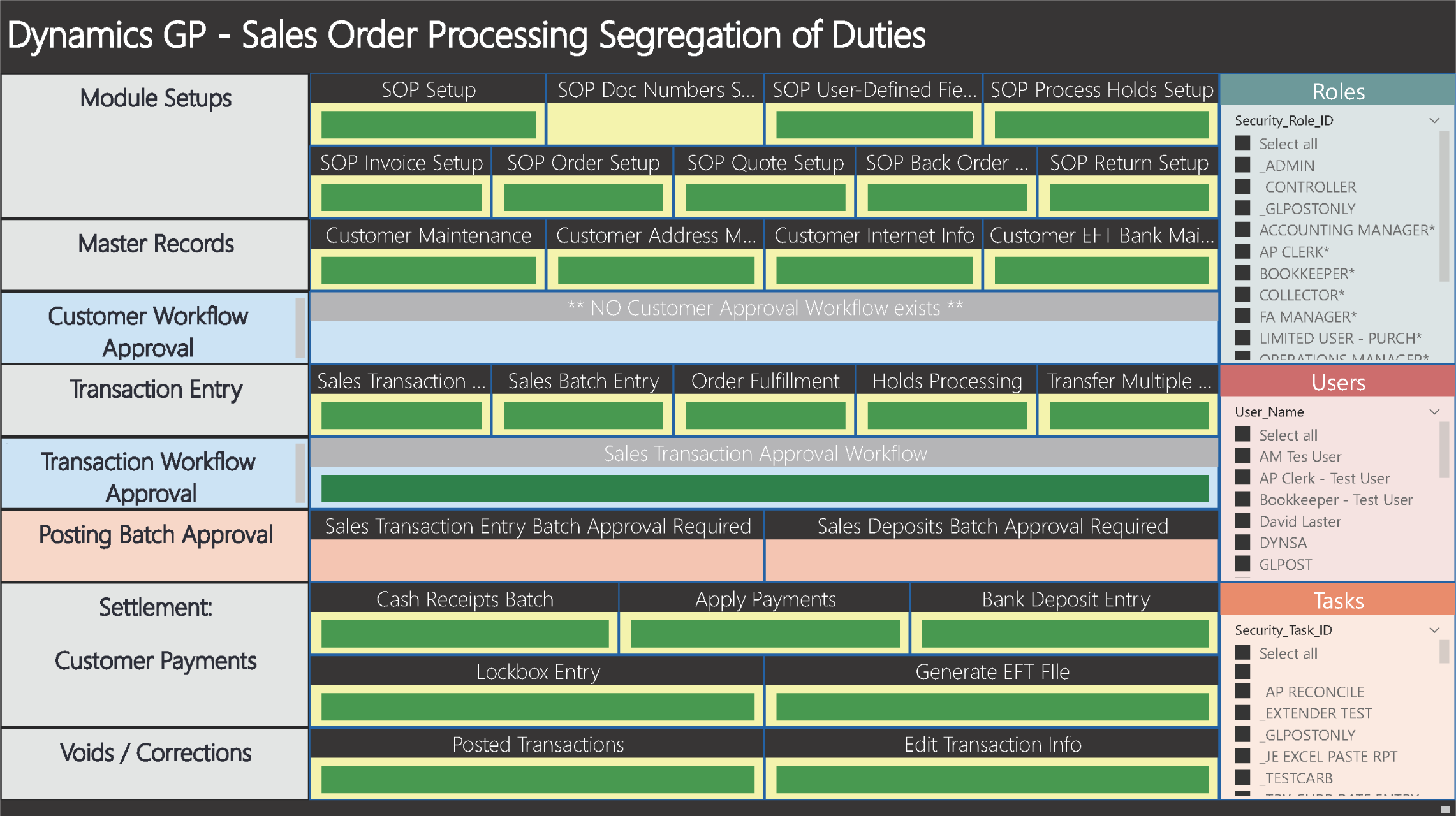
Sales (SOP)

Financial
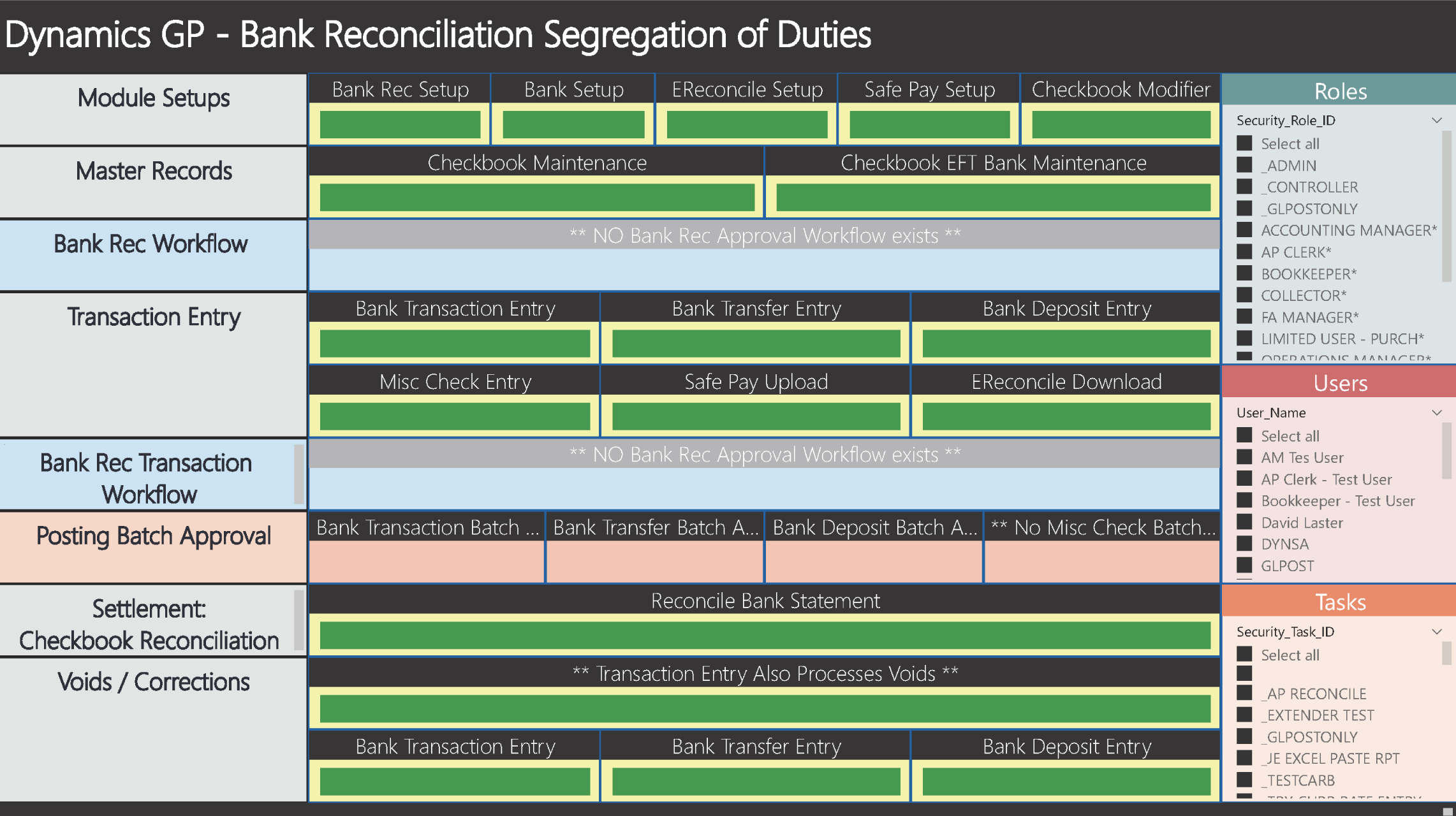
Bank Reconciliation
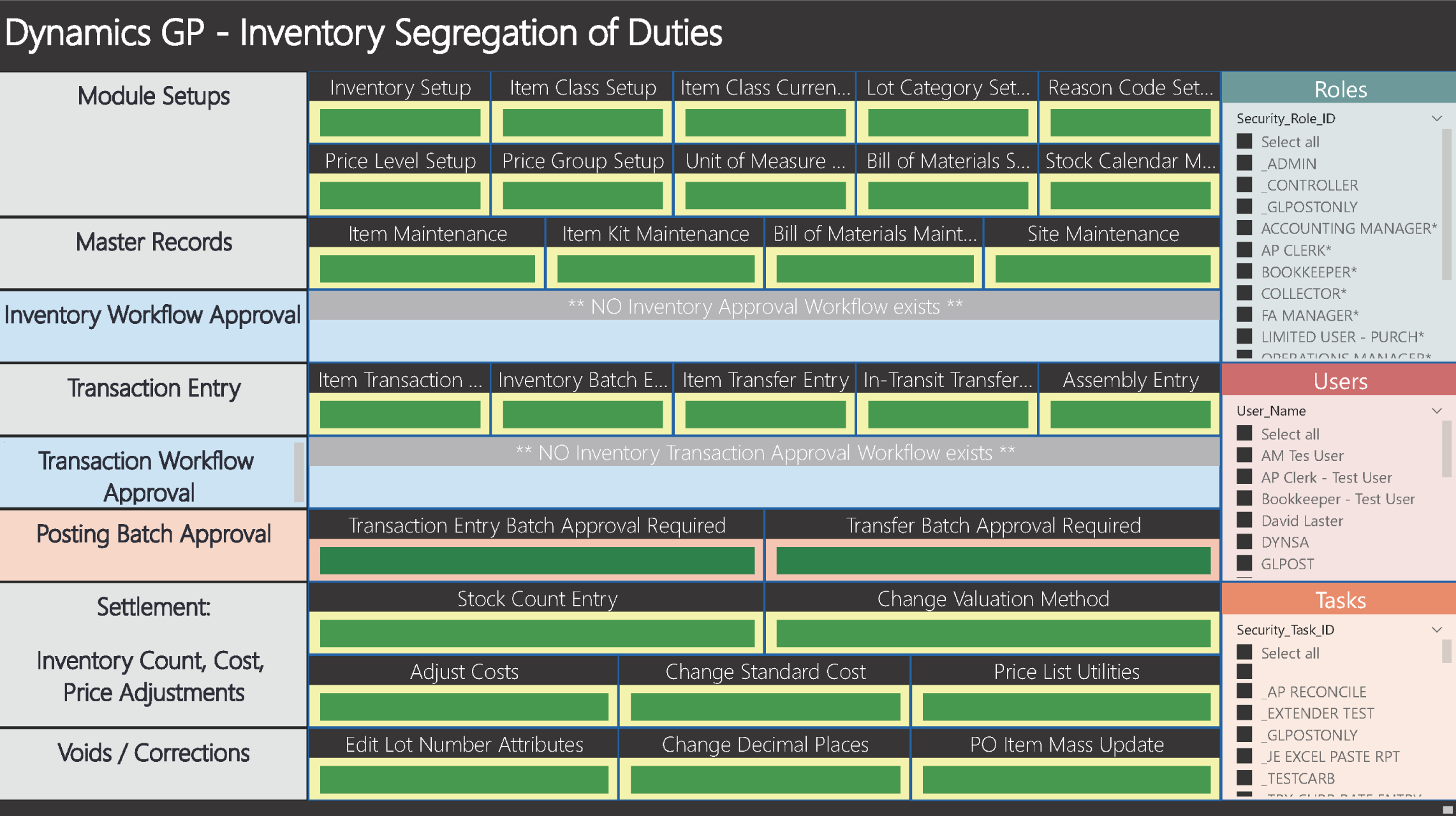
Inventory
Audit Reporting Dashboards
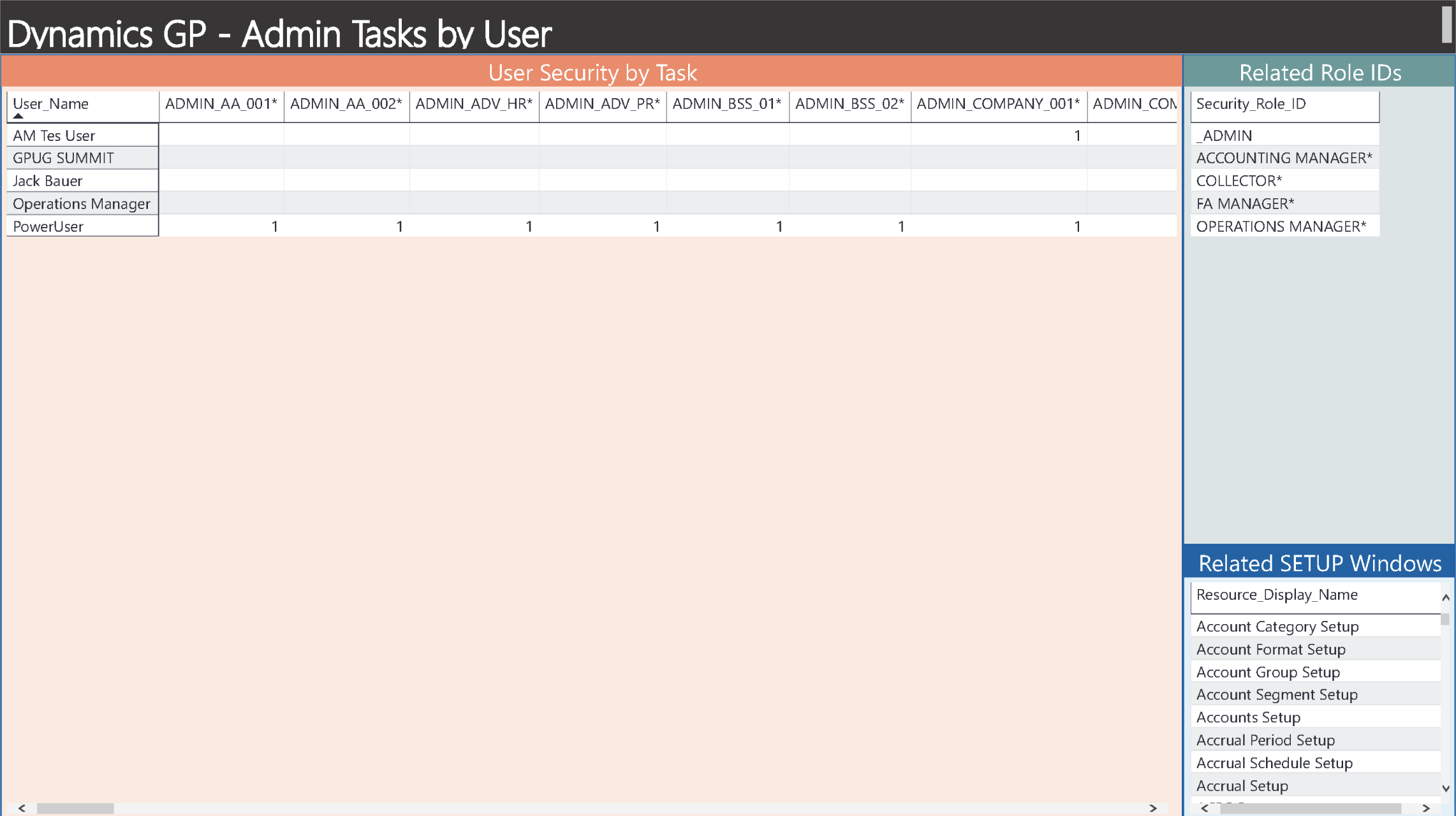
Cross-tab analysis of Users with only ADMIN-related tasks
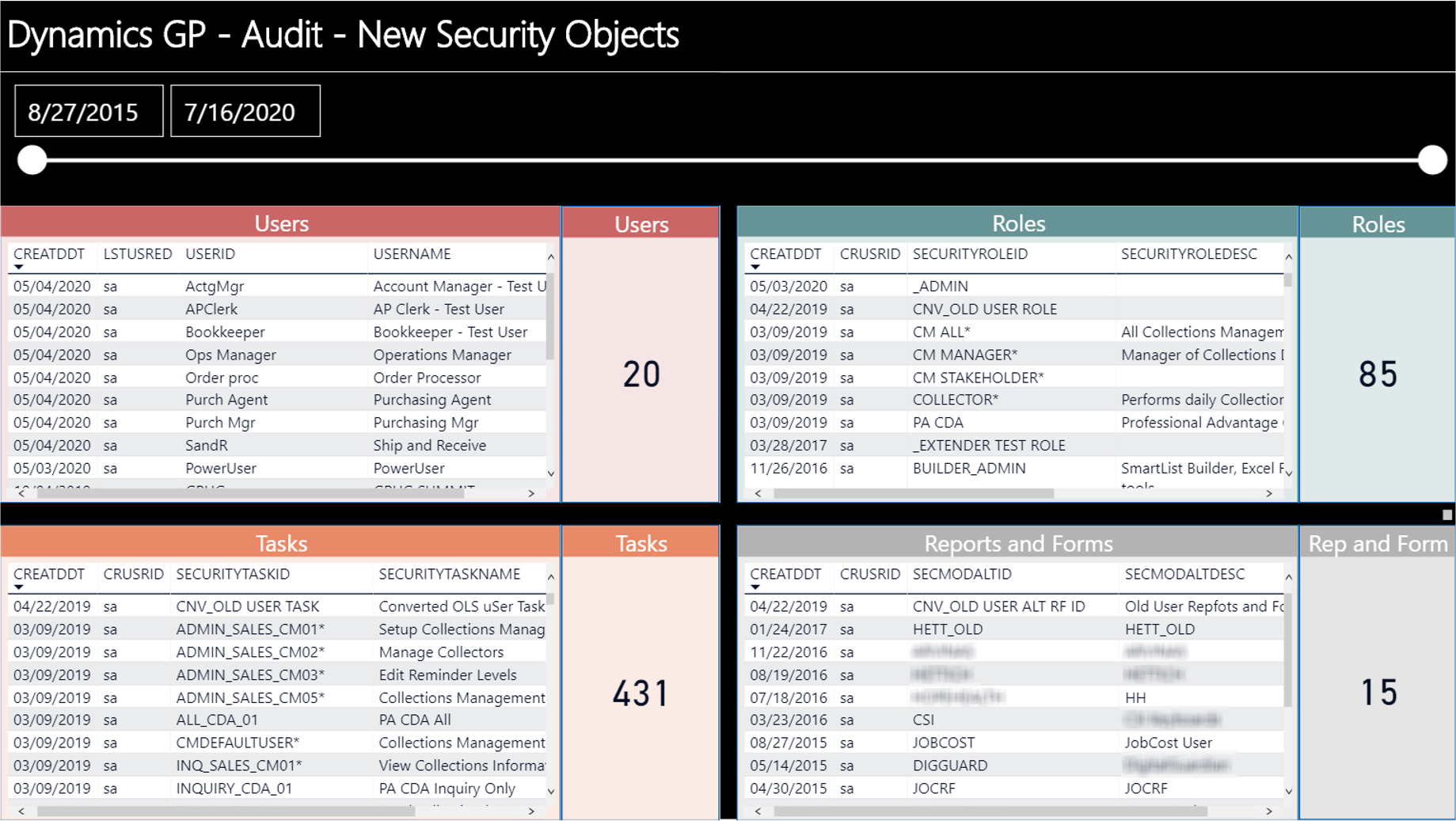
Last Created
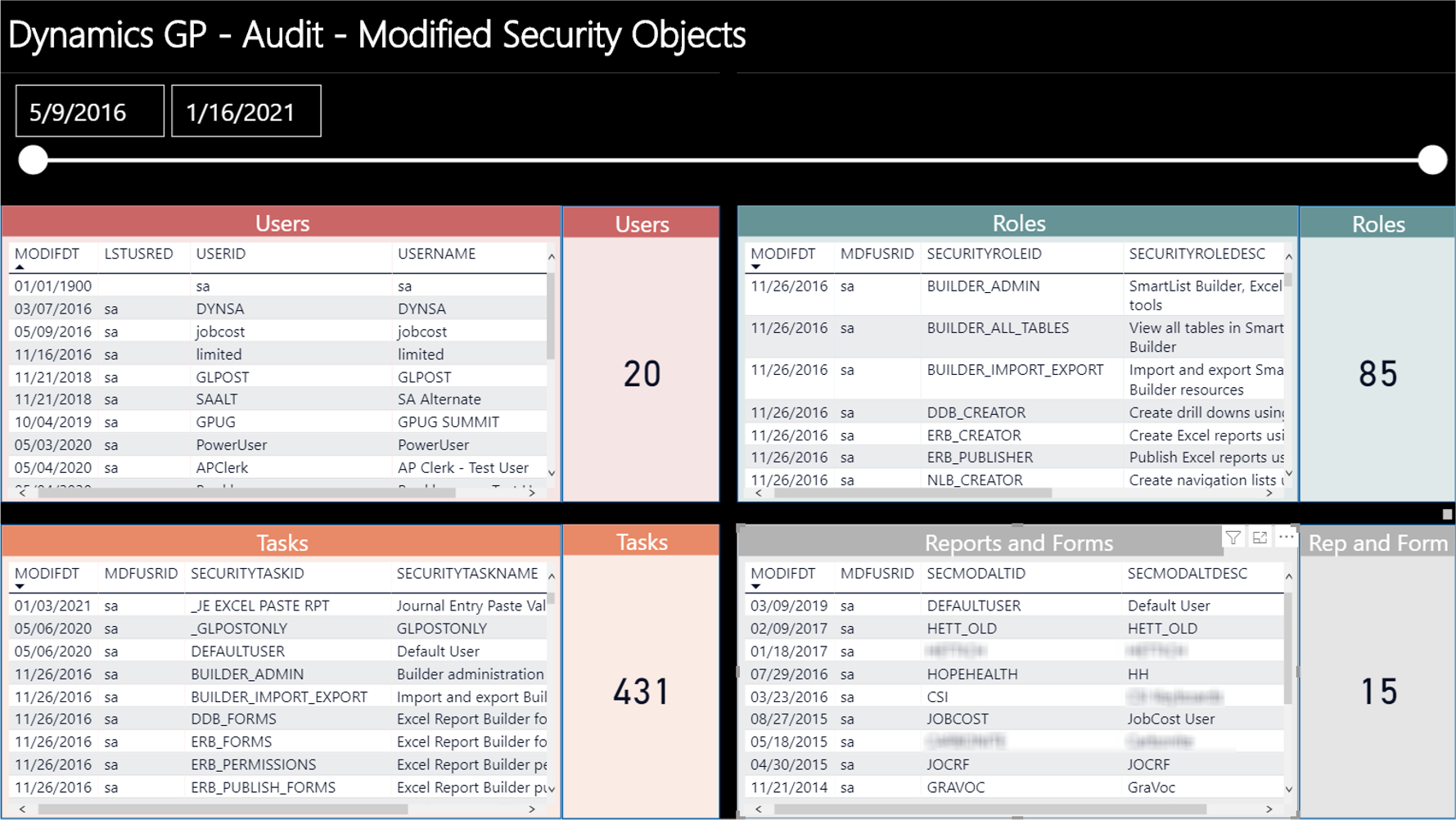
Last Modified
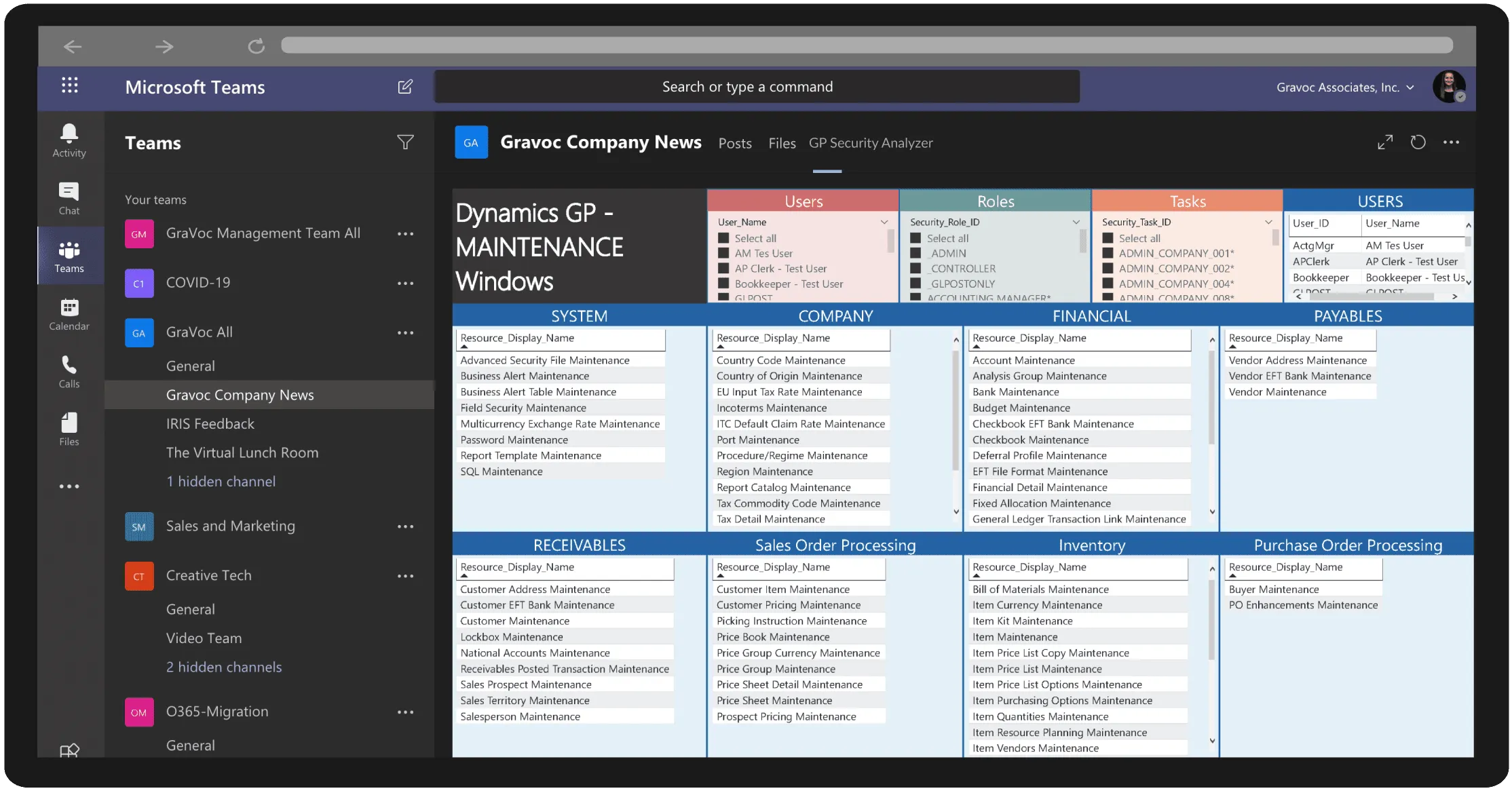
Collaborative Sharing of GP Security Reports
Share any of the interactive GP Security Analyzer Power BI reports directly in a Microsoft TEAMS channel
Run. Analyze. Modify. Refresh … then Publish the GP Security Analysis to the Power BI Service and share with management, auditors, and team members (optional)
Frequently asked questions
More Power BI solutions

Power BI dashboard for GP admins, managers & users
Perform a Dynamics GP System Audit / Assessment & ongoing monitoring with these 30 dashboards through a single location point!

Free Dashboard Available
GP Bad Detector
Ease the burden on your GP Administrators by using Power BI to discover and detect outlier or unusual data within Dynamics GP!
Free Dashboard Available

GP what’s new
Power BI dashboard designed to showcase Dynamics GP versions, enhancements, & features. Get your free copy today!