


GP What’s New
Showcase Dynamics GP versions, enhancements & features
As we continue to expand our Power BI Solutions, we’re excited to introduce our newest creation – the Dynamics GP What’s New Feature Analyzer dashboard!
With constant updates and feature enhancements to Microsoft Dynamics GP, staying up to date with the latest changes can be a challenging and time-consuming task. Before upgrading, users and developers want to know what features they will be acquiring along the way to their new version. The Dynamics GP What’s New Feature Analyzer dashboard was designed to help GP users compare version updates, enhancements and more.
Knowing about the 100’s of new features in GP can:
Improve day-to-day workflow
Enhance audit and control capability
Gain efficiencies that make an impact in your organization
Feature analyzer.
The feature analyzer tab can be used to isolate, explore, or pin down a specific feature of interest. It contains objective information in categories and groupings displayed in red and green titles on the left side of the page. A short and long description of the new features appears in the purple titles on the right side. The breadcrumb trail in the location title is the path to the window that contains the new feature within the Dynamics GP application. Subjective coding and grouping by module, topic, area, and audience appears in the blue titles.
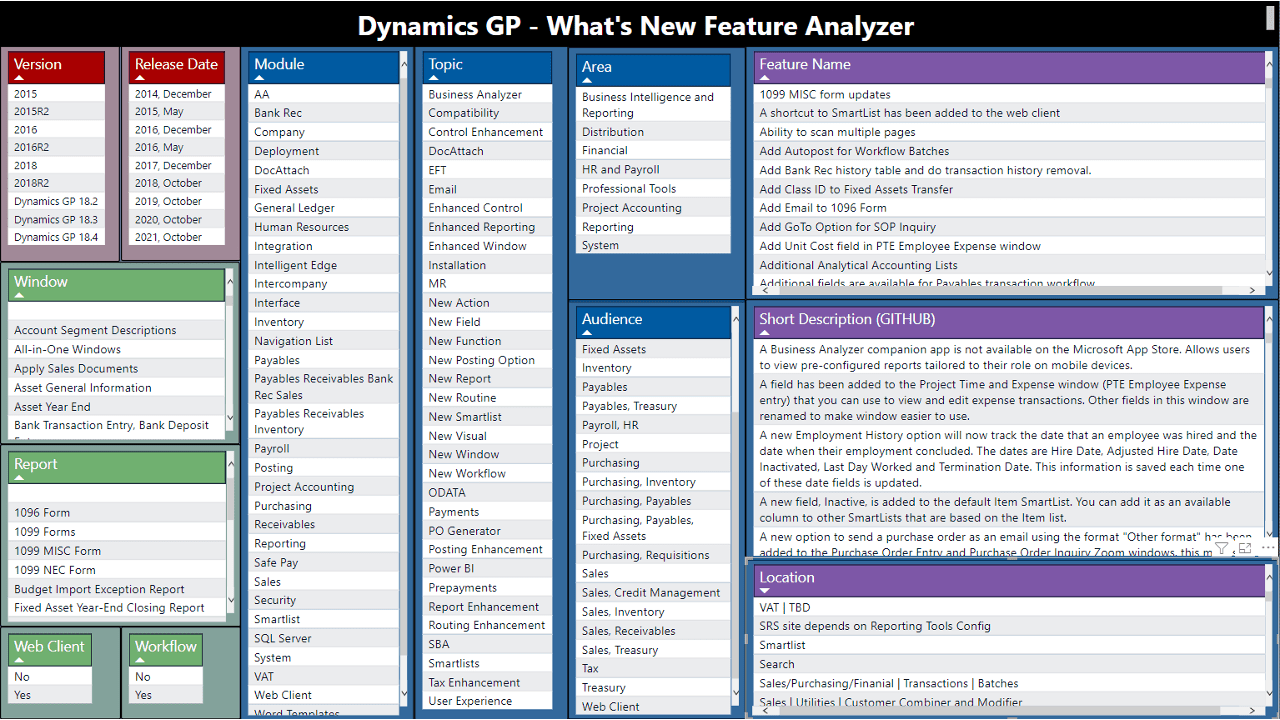
Feature analyzer
Github references
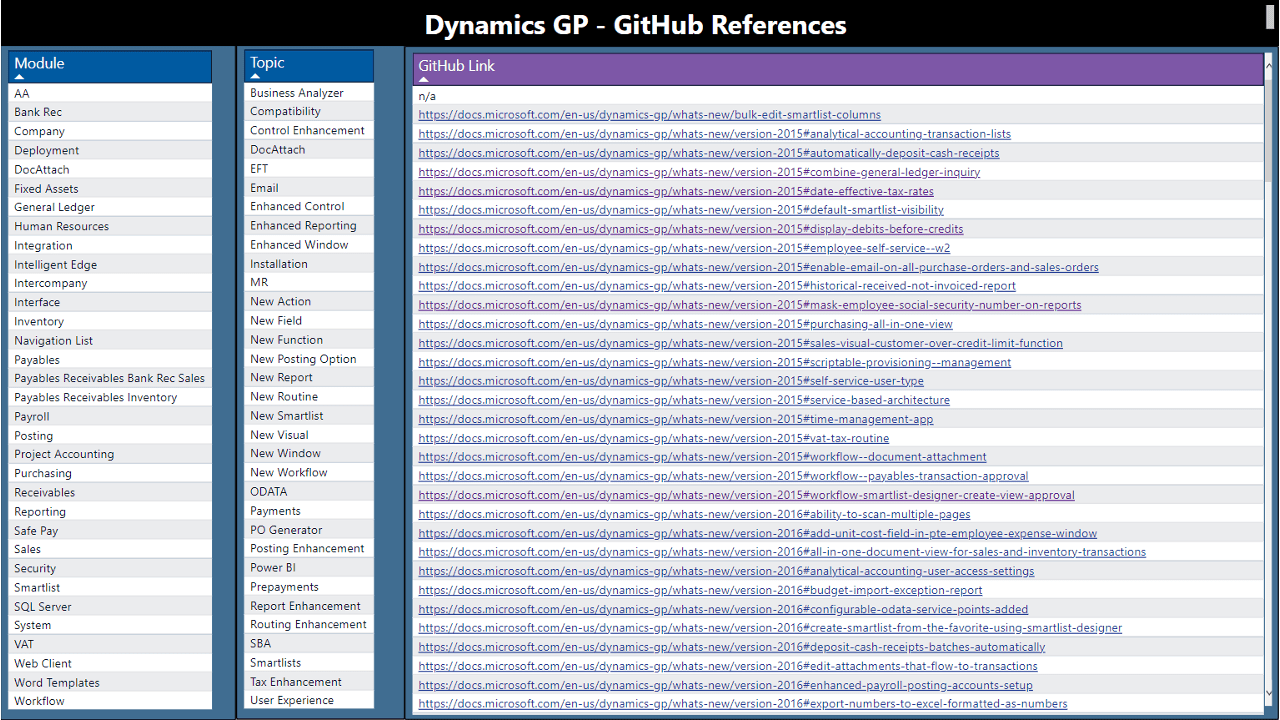
Github references.
The Github References tab can be used to quickly find the URL published on the official docs.microsoft.com website. Simply select the module, topic, or both and click on the related URL. The specific feature from the site loads and you can explore there in greater detail as well as see any published images in the Microsoft documentation.
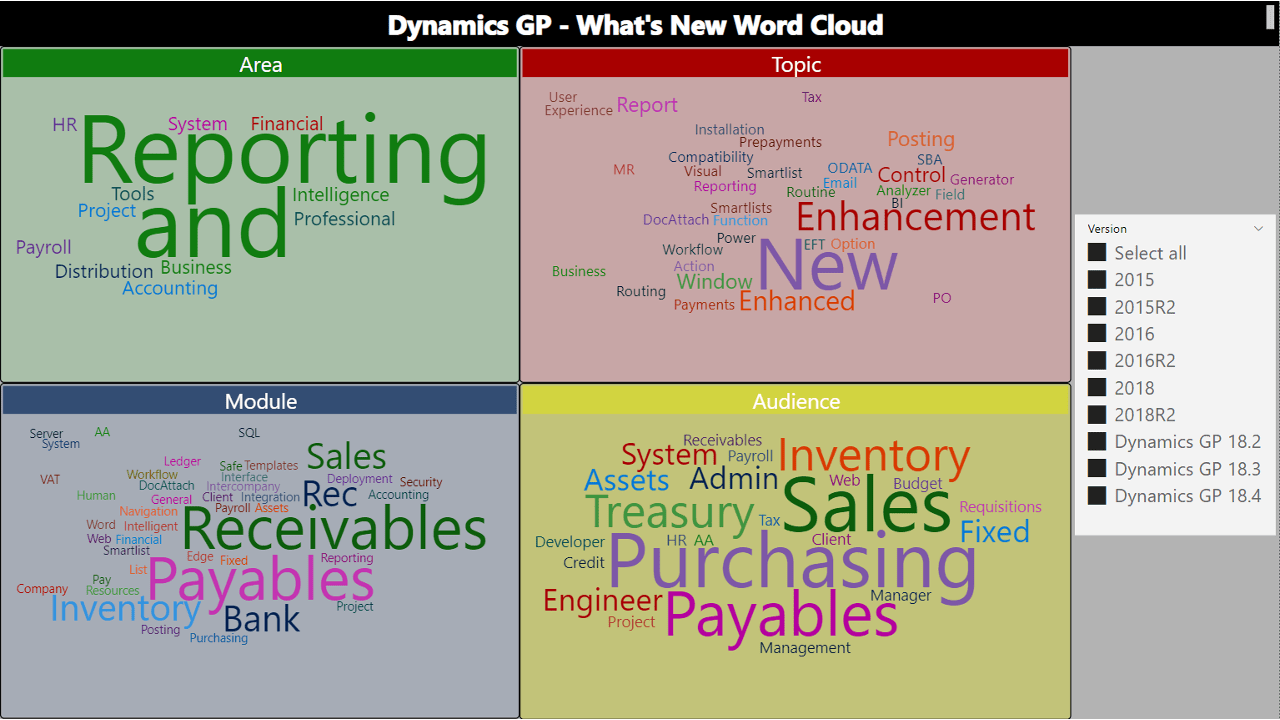
Word cloud.
More Power BI solutions

Power BI dashboard for GP admins, managers & users
Perform a Dynamics GP System Audit / Assessment & ongoing monitoring with these 30 dashboards through a single location point!

Free Dashboard Available
GP bad data detector
Ease the burden on your GP Administrators by using Power BI to discover and detect outlier or unusual data within Dynamics GP!

GP security analyzer
The easiest and the most powerfully visual way to understand Dynamics GP Security. 22 dashboards of Dynamics GP Security Analysis Bliss!