
The challenge
A successful law firm saw an opportunity to strengthen client trust by giving clients greater visibility into their cases.
Clients had no single place to see case status, recent updates, upcoming events, or whether something required their attention. Getting that information meant calling or emailing the firm, creating interruptions for attorneys and paralegals who were focused on moving cases forward.
A client-facing application could solve both sides of the problem: give clients greater transparency and confidence while reducing routine status requests. It also created an opportunity for the firm to differentiate itself from competitors by offering a bespoke digital experience others did not.
GraVoc was brought in to lead the UX/UI design of the application.
From a validated idea to a designed experience
The firm had already developed a proof of concept and shared it with a small group of trusted clients. Their positive response validated the idea and gave the team confidence to invest further.
But proving that clients wanted greater visibility was only the beginning.
As GraVoc began mapping workflows and developing wireframes, we identified usability and scalability issues that were not obvious in the original prototype.
The focus shifted from simply providing information to designing an experience that made that information easy to understand and act on.
Designing for clarity and confidence
The UX/UI process focused on the questions clients were most likely to have when checking their cases.
Where does my case stand?
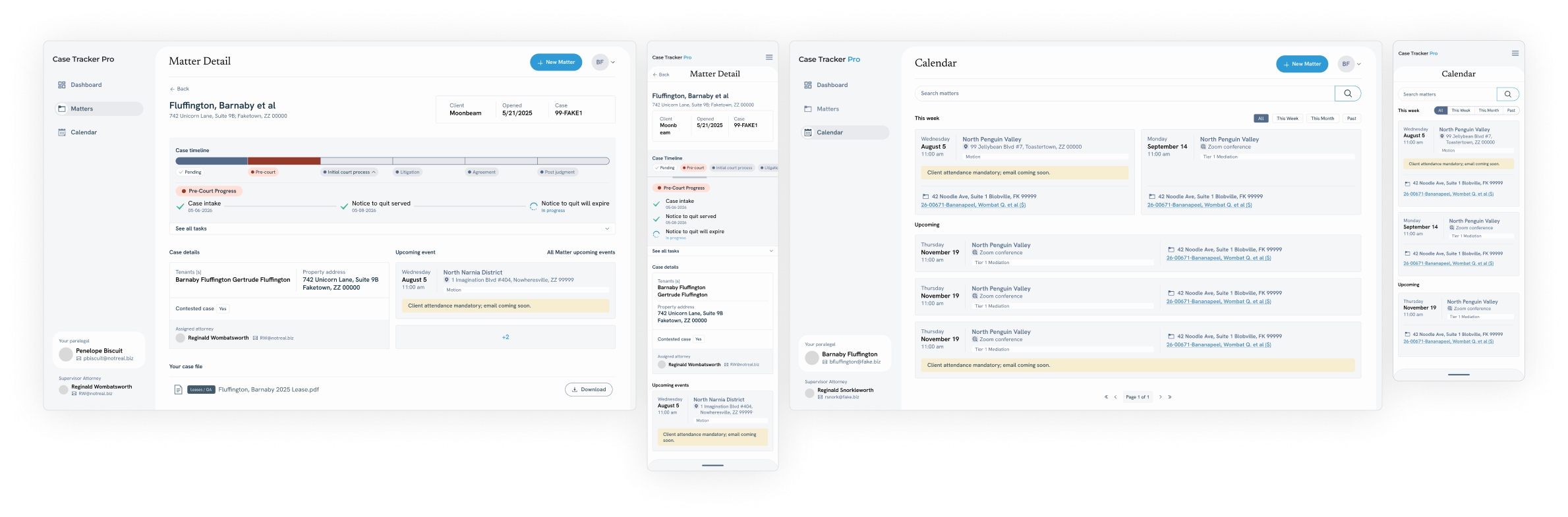
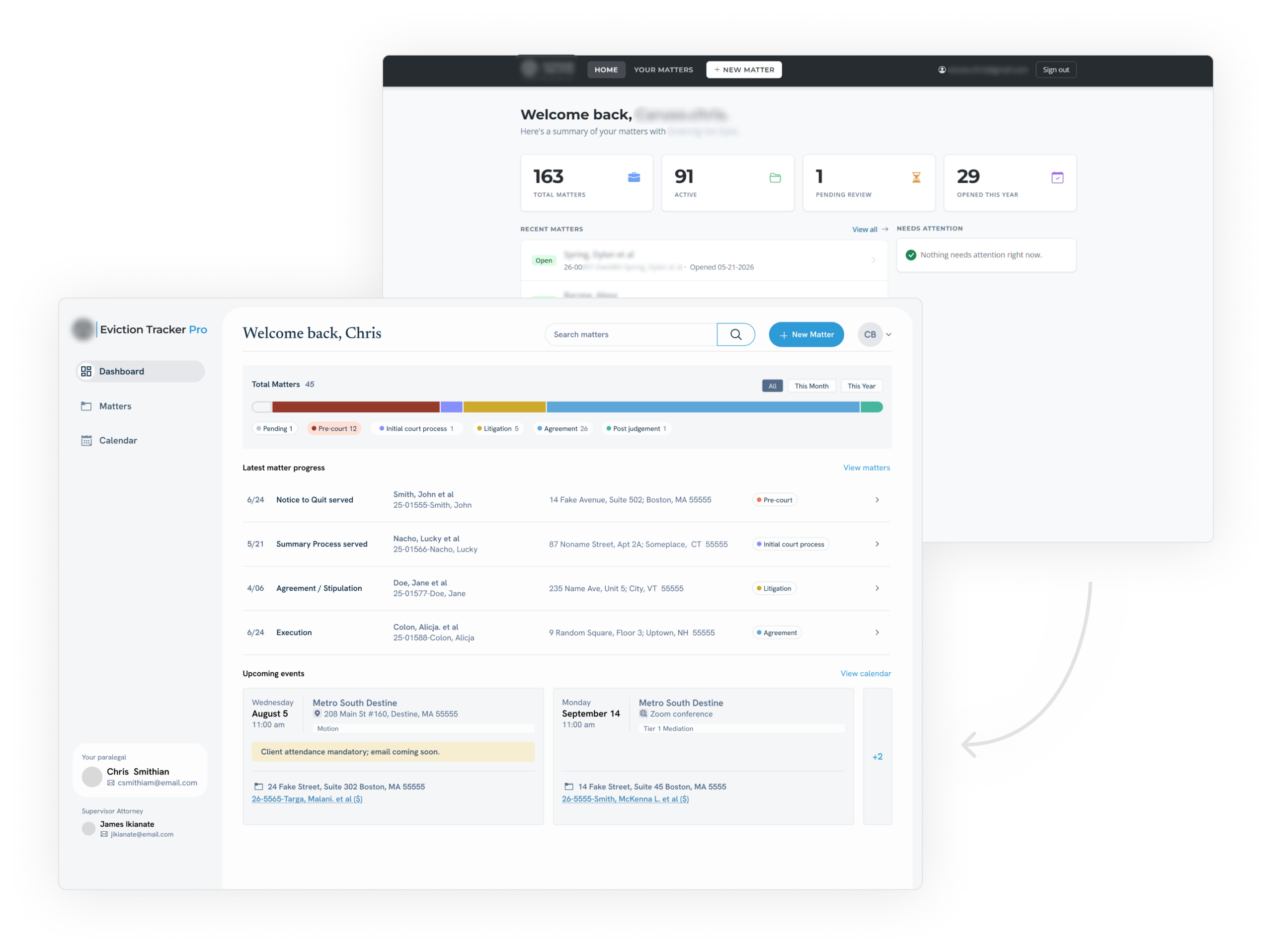
Case progress was reorganized so clients managing multiple active matters could quickly understand where each one was in the process.
What has changed?
Recent activity was surfaced prominently, giving clients greater visibility without requiring them to contact the firm for routine updates.
What is coming next?
Upcoming events included the details clients actually needed, such as whether an event was virtual or in person and whether their attendance was required.
Where do I find everything?
The original top navigation was replaced with a persistent sidebar, creating a clearer experience that could also accommodate future functionality as the application grew.
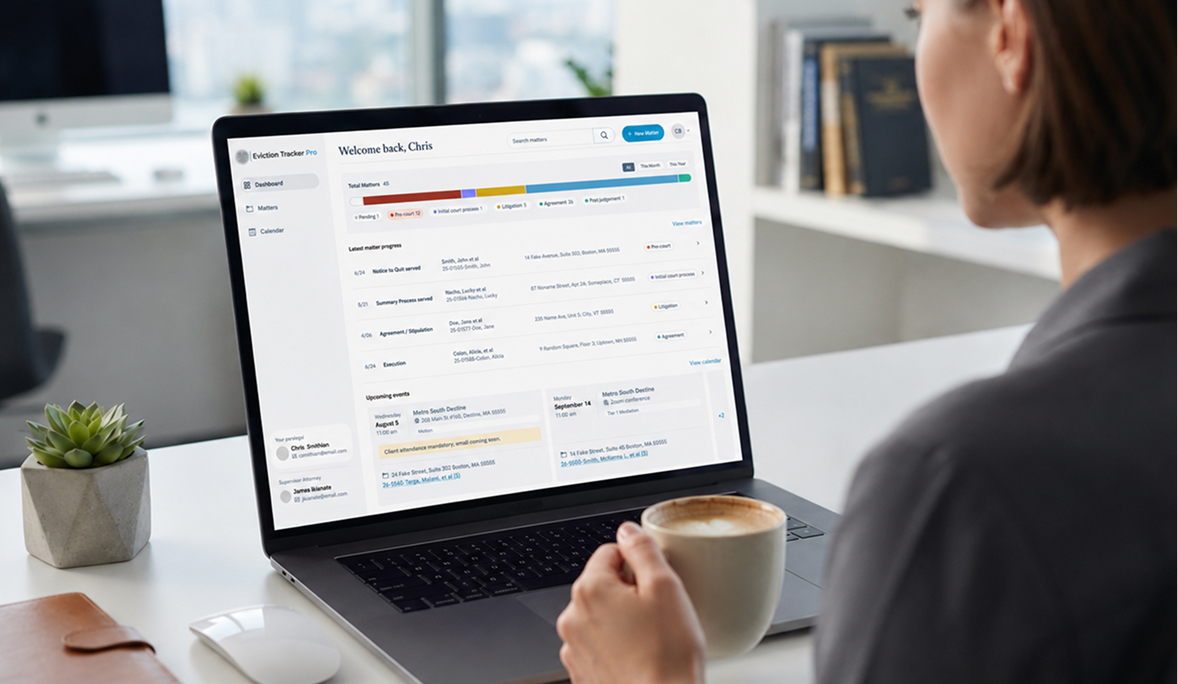
Together, these decisions shaped a dashboard that is built to:
- decrease stress of its users
- increase internal productivity from the law firm
- build trust and value - deepening client-law firm relationship
Creating a more transparent client experience
Before the application, visibility depended heavily on direct communication with the firm.
The redesigned experience gave clients another way to stay informed.
They could log in, review active matters, understand progress, see upcoming events, and identify when action was required from them.
That greater transparency was designed to build confidence in the firm and its process while reducing the need for routine calls and emails.
For the law firm, the application also created a more distinctive client experience — one that could help set the business apart while allowing attorneys and paralegals to stay focused on moving cases forward.